1. The site on your phone
Most playersThis is the one to show the group. There is nothing to install and no code to type: the morning On the first tee email carries a QR code and a link, the printed scorecard carries the same QR code, and My Tee Times has an On the 1st Tee button on the day. Any of them opens the day’s page on your phone, and you sign in once, with the email the group has for you.
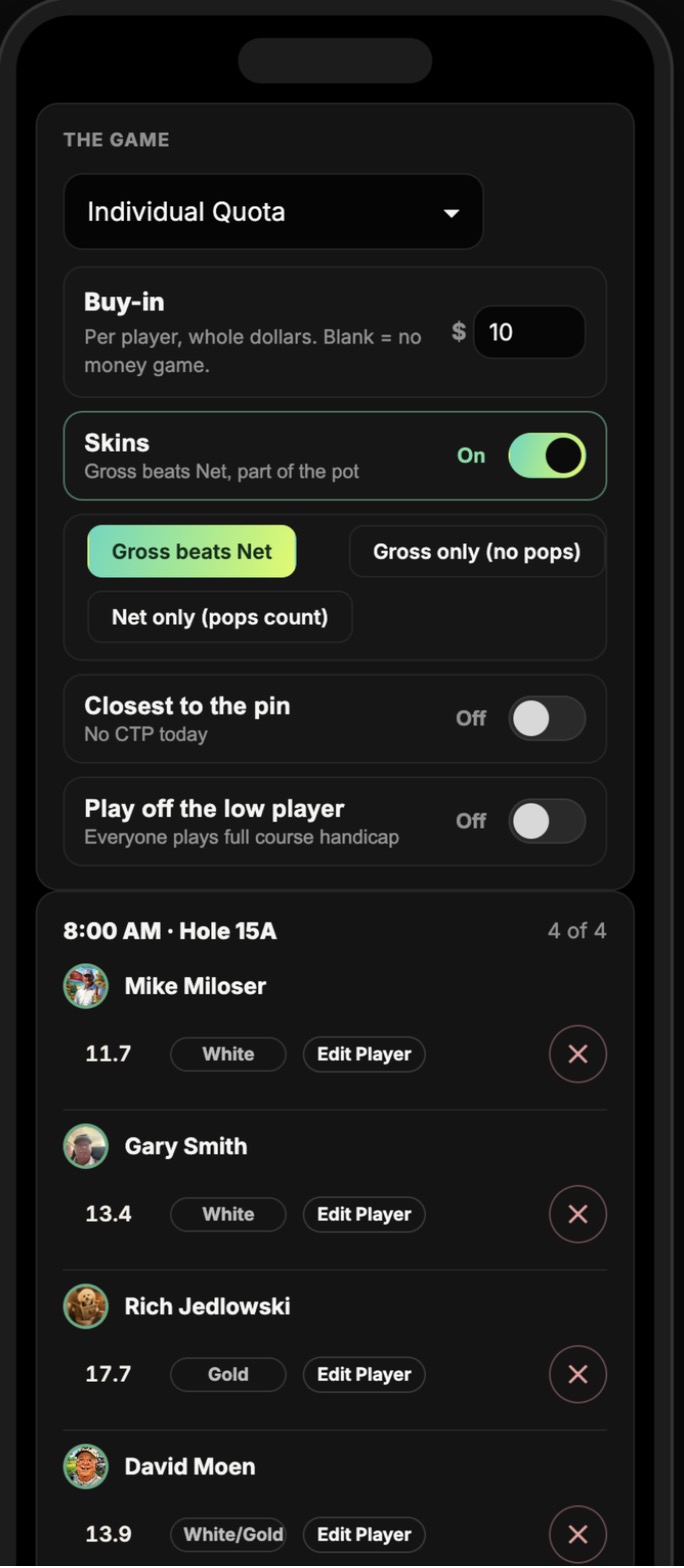
- Final check. The page shows your tee time, your group, the game and the pot. Confirm your index and the tee box you’re playing; your course handicap and your pops are figured from them, so get this right before the first tee.
- Pick a card. Just me keeps your own score. My tee time keeps the card for your group, the way one player keeps the paper card for the foursome. A host who isn’t playing can keep Every card.
- Score a hole at a time. Each player is a row with a big score box and plus/minus. A player who gets a stroke on the hole has one or two amber dots by their name, so there is no handicap maths at the tee; the box shows gross and net (5/4) as soon as the score is in. Swipe or tap to the next hole.
- Out, In, Total. The totals table at the foot shows every player’s nine, back nine and total; tap a row to open their full 18-hole card.
- The leaderboard is top right. The game is scored live, skins and proxies included, so the group can see where it stands walking off 9.
Scores post as you go. If two players in the group both keep the card, the last entry for a hole wins, and the host sees everything on Results.
2. The Tangent app
Get the Tangent appPlayers who keep their stats in the free Tangent iPhone app score there as they always do: start a round at the course, score each hole, and the app keeps the round, the strokes gained and the trends. The group’s board picks the round up on its own, hole by hole, with no typing by anyone. While you’re out, your row on the sheet reads Tangent · thru 12.
- Sign in to the app with the same email you use here. That is what matches your round to your seat on the day.
- Score the round at the course the group is playing, on the day. The board looks for your round there and nowhere else.
- Your gross goes to the sheet; the group’s game, pops and net are figured from the day’s tee and index, the same as every other way in.
- A hole that someone types onto the sheet by hand, for you, stays as typed; the app fills the holes nobody has touched.
3. The site on a PC or iPad
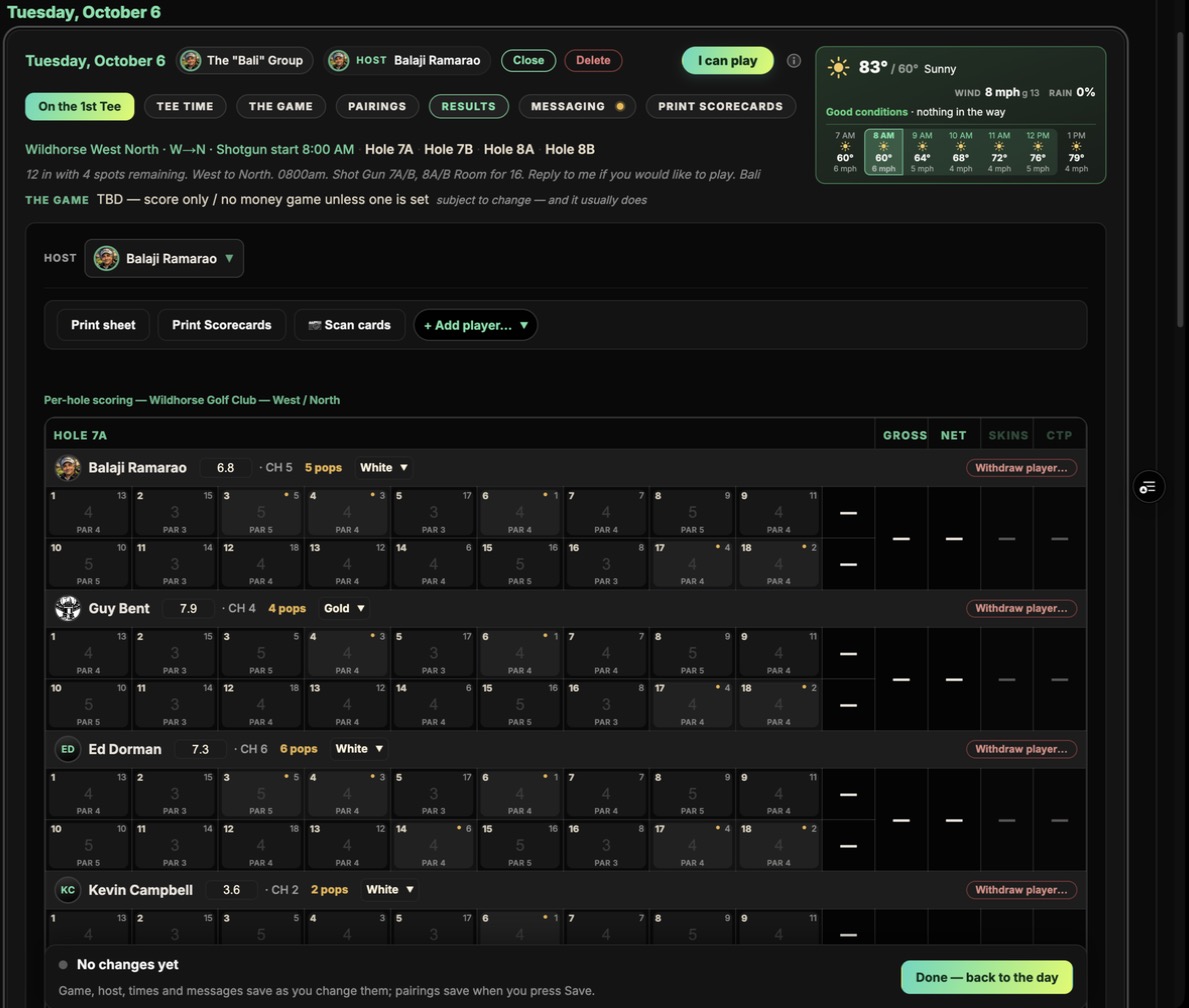
The same day page, at full width. Open it from My Tee Times, the day card’s On the 1st Tee button, or the link in the email. On a wide screen it shows the whole sheet: every tee time, every player’s row across all 18, with the pops marked in the corner of each hole, so an iPad on the cart scores the whole foursome at a glance and a laptop in the clubhouse can enter a card in a minute.
- Players keep their own card, or their group’s, exactly as on a phone; it is one page that fits the screen it is on.
- Hosts have the Results tab on the day besides: every score that has come in, however it was entered, typed straight into the sheet, and the payouts under the standings.
- Want to see what players see on their phones? Phone view, top right on the 1st Tee page, frames the page at phone size.
4. A printed scorecard, typed in
How hosts print the cardsGroups that like a paper card get a better one. The host’s Print Scorecards prints a card for each tee time with the players’ names, tee, index and course handicap on it, the pops already marked on the holes where each player gets them, the starting hole boxed, the quota target for a quota game, and the QR code for the phone page in the corner. Two cards to a sheet, folded once for the pocket.
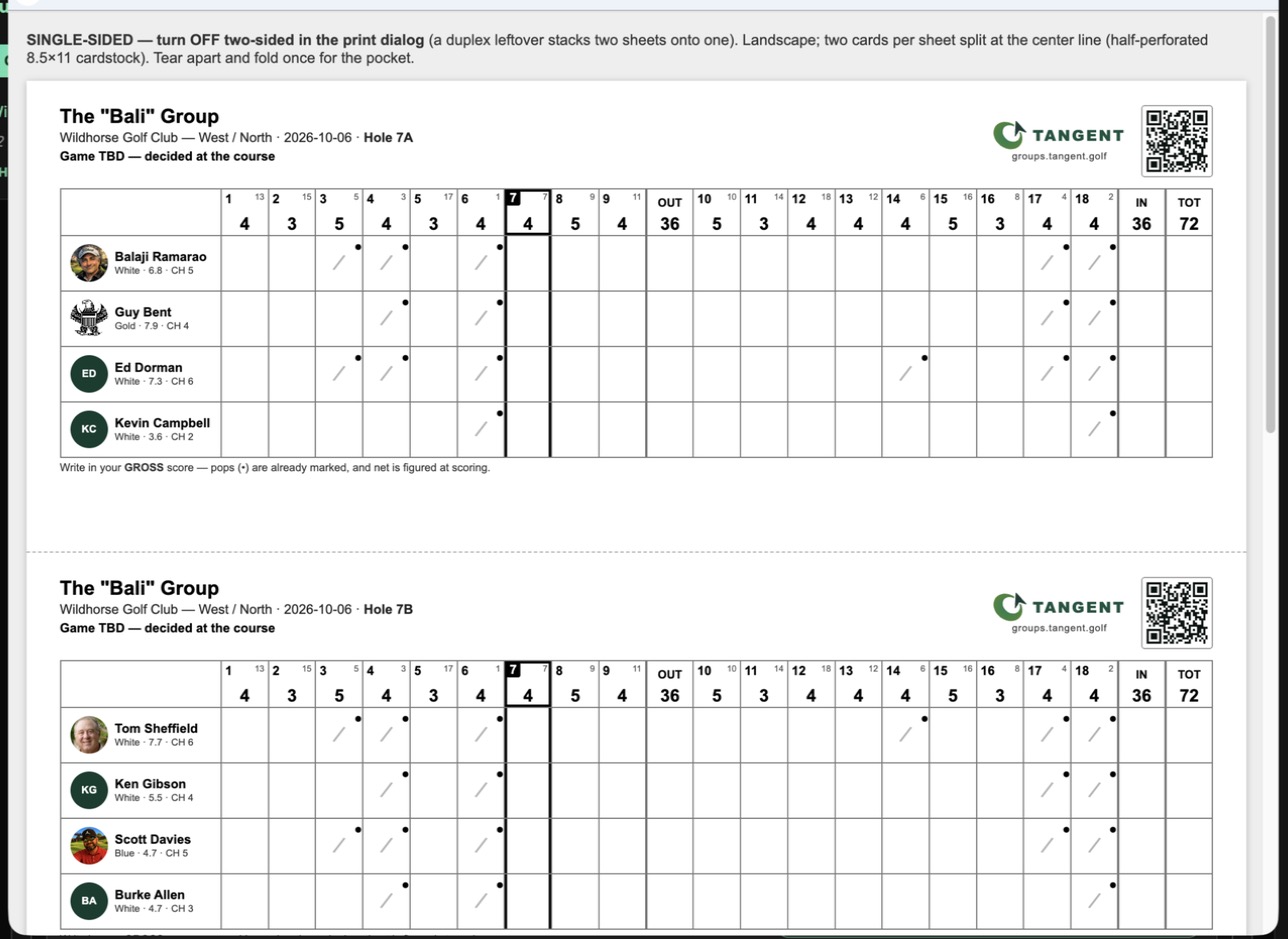
- Write your gross score on each hole, as always. Net is figured when the round is scored.
- After the round, the host types the holes into the sheet on Results, or you type your own row from the day page.
- The board, the game and the payouts fill in as the cards go in.
5. A printed scorecard, scanned
No typingSame paper round, no typing. On Results the host presses Scan cards, takes a photo of each card (flat, well lit, one photo per card) and the AI reads every player’s holes off it. Nothing is saved until the host has looked over what it read, corrected any hole it got wrong, and pressed Apply.
- It matches the names on the card to the day’s roster, so it reads the printed cards best, and the course’s own card with the names written in legibly.
- The photos are kept with the round and go out with the results email, so every player can see the card that was scored, and they are deleted with the round.
- A hole the host corrects before Apply is what is saved.
Every way lands in one place
However a score arrives, it goes to the same sheet. The live leaderboard scores the game as the holes come in, with skins and proxies, and the host’s Results shows every card side by side, net figured from the pops, and the payouts under the standings. One foursome can be on the app, another on their phones and a third on paper, and the board is right for all of them.
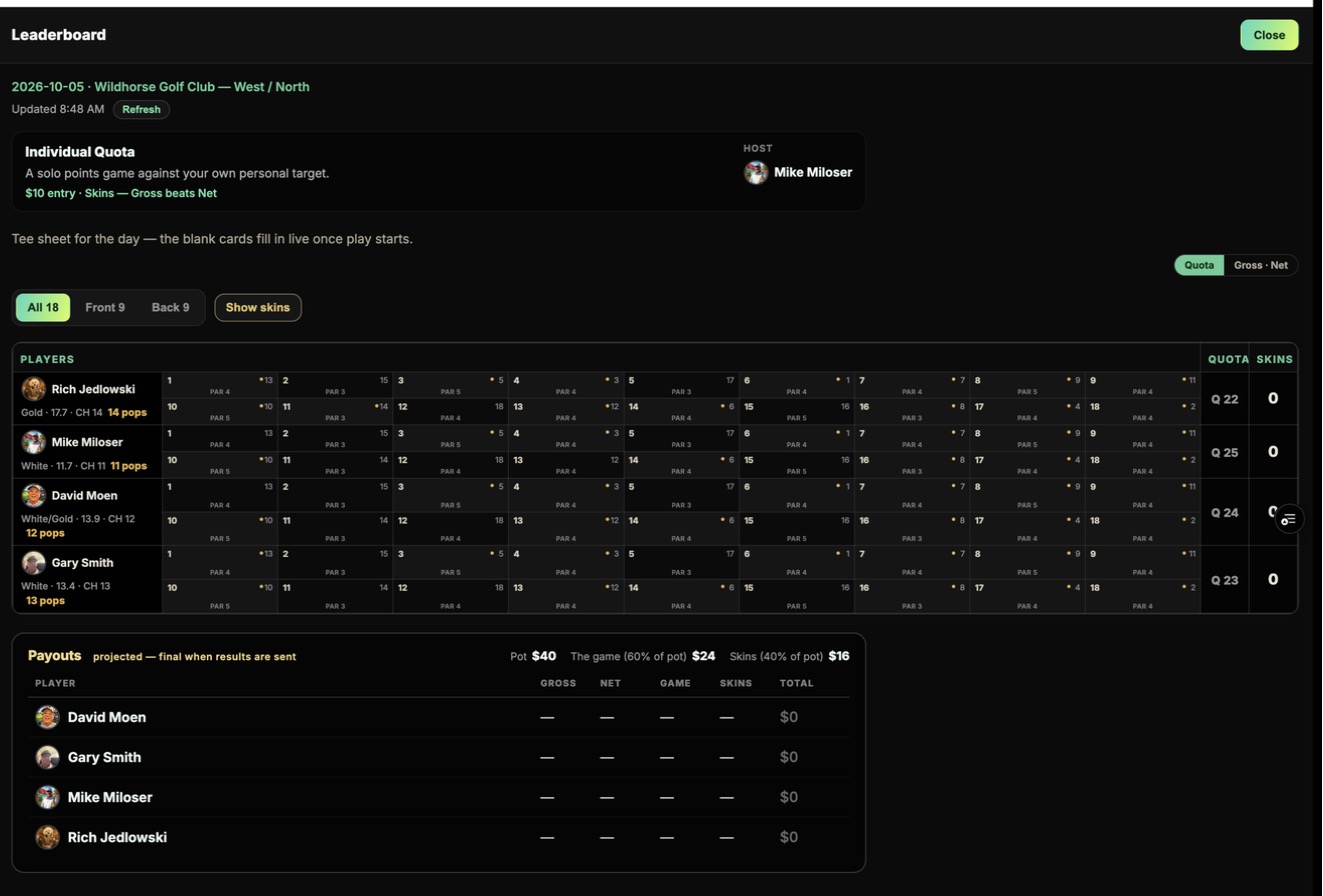
When everything is in, the host presses Send results to the players: everyone on the day gets the standings, the payouts, their own line and any scanned cards, with a link to the day’s page.
Hosting the day? Creating and Managing Group Tee Times covers the tee time, the game, pairings, printing and results step by step.